
Cool Fonts Generator
Generate 150+ cool fonts, swag text styles, and stylish letters for your gaming profiles and social bios with 1-click copy.
Generated Cool Fonts Preview
No fonts found
Try adjusting your search or selecting a different category.
Platform Rules, Compatibility & Safety Playbooks
Cool Fonts Generator – Instant Copy and Paste Swag Text, Aesthetic Fonts & Symbols
FreeAIToolsBox’s Cool Fonts Generator transforms standard keyboard letters into high-visibility Unicode Symbols. Unlike downloadable font files (.TTF or .OTF) that require local software installation, these characters are universally recognized Unicode symbols. Copy and paste them directly into Instagram bios, TikTok captions, Twitter (X), WhatsApp messages, and gaming profiles with 100% visual fidelity across iOS, Android, macOS, and Windows.
What Is the Cool Fonts Generator?
The Cool Fonts Generator on FreeAIToolsBox is a dedicated, real-time typography utility designed to transcode your everyday ASCII characters into stylized Unicode glyphs. Whether you are aiming to customize your social media presence, design a memorable gaming identity, or highlight key metrics, our tool delivers instantaneous conversions with 100% copy-and-paste compatibility across all major operating systems.
Unlike outdated software that requires downloading third-party keyboard utilities or installing font files on your device, this generator operates entirely within your browser using native UTF-8 character sets. Simply enter your text above, choose the aesthetic that matches your style, and copy it directly to your clipboard.
How to Use FreeAIToolsBox’s Cool Fonts Generator
Type Your Words
Input any letters, numbers, or phrases into the generator box at the top of the page. The conversion engine translates your text in real time with zero latency.
Pick Your Style
Browse through the generated list of variations. Compare typographic weights, stylistic flourishes, and symbol embellishments to find your favorite look.
1-Click Copy & Paste
Click the green “Copy” button on your selected card. Your styled text is immediately saved to your device clipboard, ready to paste anywhere.
Cool Fonts Generator Examples & Style Comparison
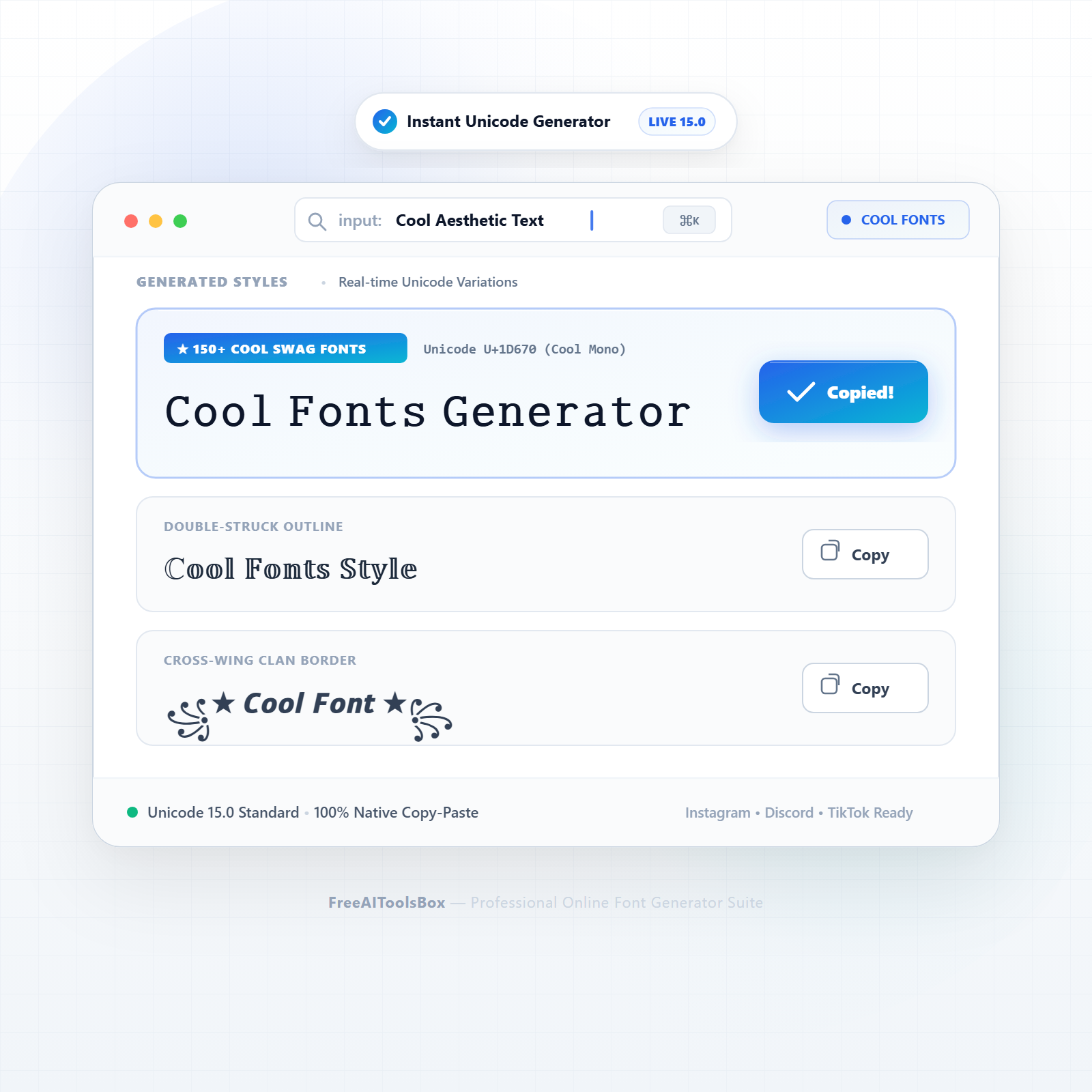
Explore a sample breakdown of how standard text transforms across the most popular styles available in this generator:
| Style Variant | Standard Input | Transformed Output | Typographic Profile |
|---|---|---|---|
| Cool Monospace | Cool Fonts Generator | 𝙲𝚘𝚘𝚕 𝙵𝚘𝚗𝚝𝚜 𝙶𝚎𝚗𝚎𝚛𝚊𝚝𝚘𝚛 | Sleek typewriter spacing, great for bios & dev profiles |
| Double-Struck Outline | Cool Fonts Generator | ℂ𝕠𝕠𝕝 𝔽𝕠𝕟𝕥𝕤 𝔾𝕖𝕟𝕖𝕣𝕒𝕥𝕠𝚛 | Hollow chalkboard aesthetic with high visual contrast |
| Dark Inverted Bubbles | Cool Fonts | 🅒🅞🅞🅛 🅕🅞🅝🅣🅢 | High-contrast dark bubble letters, stands out on feeds |
| Negative Squared | Cool Fonts | 🅲🅾🅾🅻 🅵🅾🅽🆃🆂 | High-visibility block badges for alerts and tags |
| Bold Fraktur Swag | Cool Fonts Generator | 𝕮𝖔𝖔𝖑 𝕱𝖔𝖓𝖙𝖘 𝕲𝖊𝖓𝖊𝖗𝖆𝖙𝖔𝖗 | Medieval dark aesthetic for edgy gaming profiles |
| Vaporwave Fullwidth | Cool Fonts | Cool Fonts | Wide aesthetic spacing, popular on TikTok & Tumblr |
| Cross-Wing Clan Border | Cool Fonts | ꧁★ 𝘾𝙤𝙤𝙡 𝙁𝙤𝙣𝙩 ★꧂ | Ready-to-use wings for gaming clans & streamer handles |
| Sparkle Calligraphy | Cool Fonts | ✨ 𝓒𝓸𝓸𝓵 𝓕𝓸𝓷𝓽𝓼 ✨ | Cursive calligraphy with diamond sparkles |
Where Can You Use These Cool Fonts Generator Styles?
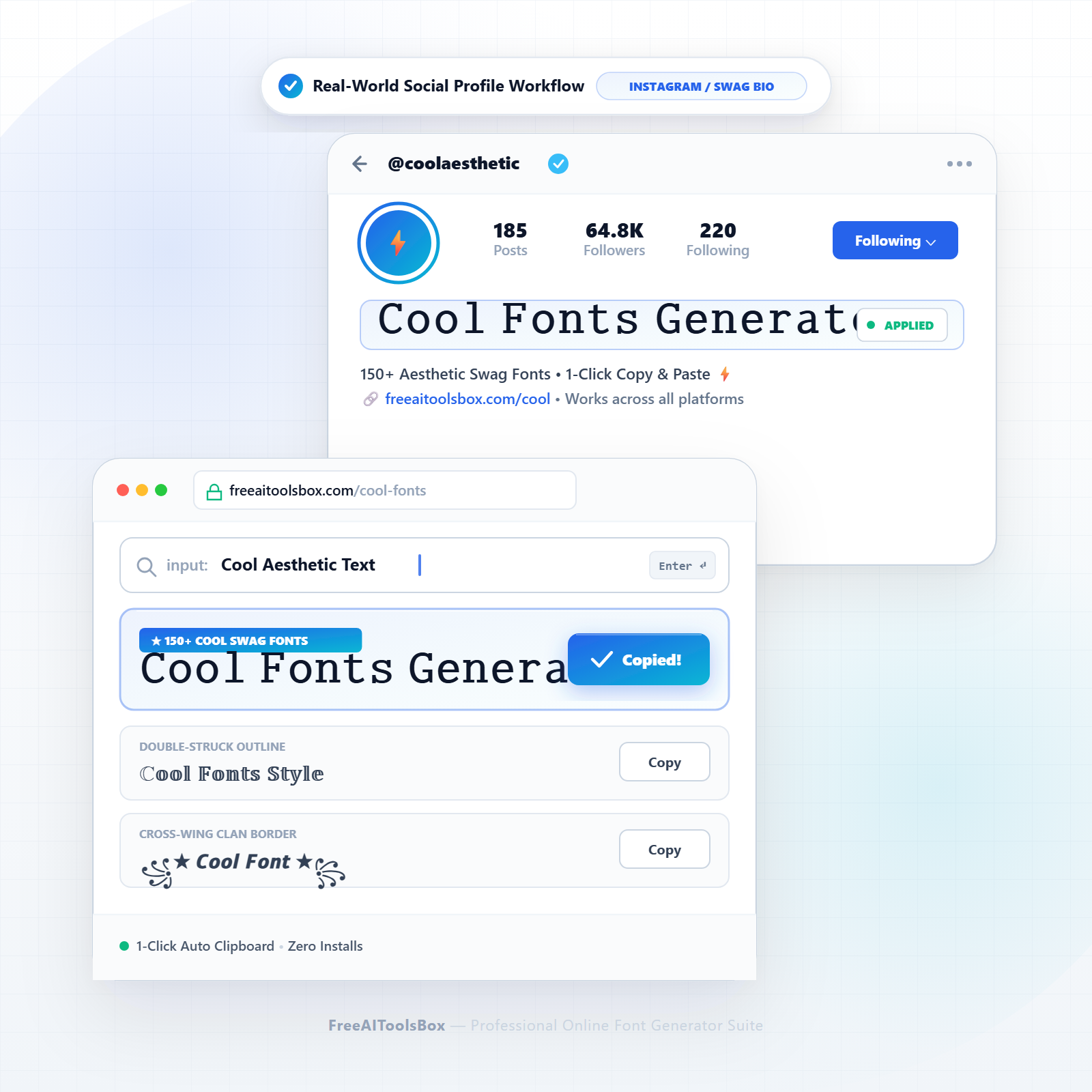
Instagram Bios & Stories
Upgrade your 150-character bio with sleek, eye-catching text. Highlight your niche, services, or personal brand without exceeding profile limits.
TikTok Profiles & Captions
Hook scrollers within the first 2 seconds of seeing your video description using prominent unicode styles and clear callouts.
Discord Servers & Channels
Organize your community rules, channel categories, and role announcements with visually differentiated headers and stylized names.
Gaming Handles & Clans
Stand out in PUBG Mobile, Free Fire, BGMI, and Roblox leaderboards with custom clan tags and decorated gamer pseudonyms.
Unicode Architecture: How These Glyphs Work
When you paste your styled text into social media or messaging platforms, you are not actually changing the cascading stylesheet (CSS) or font family of the target website. Instead, you are transmitting distinct Unicode code points.
The Unicode Worldwide Character Standard allocates thousands of specific numerical code points in the Supplementary Multilingual Plane (Plane 1, U+10000–U+1FFFF) for mathematical alphanumeric symbols, enclosed alphanumerics, and decorative forms. Because all modern web browsers, iOS, Android, and Windows systems incorporate universal fallback fonts (such as Apple Color Emoji, Segoe UI Symbol, and Noto), these characters render cleanly across almost every digital screen in existence.
Web Accessibility & Screen Reader Best Practices
To ensure your profiles remain inclusive and easy to read for users with visual impairments who rely on screen readers (like VoiceOver or TalkBack), follow these guidelines:
Recommended Practice (✓ Do)
- ✓Use styled fonts for single words, names, or short headlines.
- ✓Keep crucial contact details (emails, phone numbers) in standard plain text.
- ✓Pair your stylish text with natural language descriptions in your bio.
Accessibility Risk (✗ Don’t)
- ×Do not format entire 500-word articles or long descriptions in unicode styles.
- ×Do not write URLs or website domains in fancy font glyphs as links may break.
- ×Avoid excessive combining accents (Zalgo) that clutter mobile text readability.
Explore All 28 Stylish Font Generators
Looking for another typographic style or specialized character set? Browse our complete suite of free text utilities:
Frequently Asked Questions
Find answers to common questions about generating, copying, and styling Unicode text across social media and digital platforms:
Q01What is a cool fonts generator and how does it work?
A cool fonts generator is a free browser tool that transforms standard ASCII keyboard letters into eye-catching Unicode glyphs. When you enter words into the input field, the conversion engine transposes every character to its equivalent mathematical, enclosed, or decorative Unicode code point in real time.
Q02Do cool fonts require installing fonts or downloading third-party keyboard apps?
No. You do not need to download or install font files (.ttf/.otf) or keyboard apps that may compromise your privacy. The output characters are universal Unicode symbols supported natively by iOS, Android, macOS, and Windows.
Q03Will these cool fonts work on Instagram, TikTok, and Twitter (X)?
Yes. Because the output characters conform to international Unicode standards, they paste seamlessly into Instagram bios, TikTok captions, Twitter (X) tweets, Facebook posts, and YouTube comments without breaking.
Q04Why do some cool fonts show up as blank boxes (tofu symbols) on older devices?
Tofu boxes (□ or ?) only occur on outdated operating systems or obsolete hardware that lack font definitions for newer Unicode Plane 1 blocks. Over 99% of modern smartphones and laptops render these glyphs perfectly.
Q05Are cool fonts safe from keyloggers and malware?
Yes, 100%. FreeAIToolsBox runs entirely client-side inside your browser with zero data storage, zero account requirements, and zero third-party keyboard installs, completely protecting your passwords and sensitive information.
Q06How do I copy and paste cool fonts into my Instagram bio?
Type your text into the generator above, click the green “Copy” button on your favorite card, open Instagram, navigate to Edit Profile > Bio, paste your copied text into the box, and save changes.
Q07Can I use cool fonts in Discord server names and role announcements?
Yes. Discord fully supports Unicode glyphs in channel names, server titles, role definitions, and chat messages, making cool fonts perfect for server customization.
Q08What is the difference between monospace, vaporwave, and double-struck fonts?
Monospace uses uniform character spacing reminiscent of typewriter code; vaporwave (fullwidth) uses wide Japanese typographic spacing; and double-struck features hollow chalkboard mathematical outlines.
Q09Can cool fonts be used in competitive gaming usernames like PUBG, Free Fire, and Roblox?
Yes. Players frequently copy cool text and framed symbols for Free Fire, PUBG Mobile, BGMI, Steam, and Roblox gamer tags to make their identities memorable on match leaderboards.
Q10How do screen readers and accessibility tools handle cool Unicode text?
Assistive technologies read Unicode characters by their formal database names (e.g., reading ℂ as “Double-Struck Capital C”). For accessibility compliance, use cool fonts for names, short headings, and titles rather than full continuous paragraphs.
Q11Will cool fonts paste into WhatsApp messages and About status?
Yes! Unlike WhatsApp markdown (*bold* or _italics_) which only functions within chat threads, Unicode fonts stay permanently stylized in your WhatsApp About profile, contact name, and group descriptions.
Q12Can I paste cool fonts into Microsoft Word, Google Docs, or Canva?
Yes. Pasting into Word, Google Docs, Canva, or Photoshop preserves the stylized glyphs without needing to change the active document font family.
Q13Why does my text look different on iPhone versus an older Android phone?
Each operating system employs its own native fallback font system (San Francisco on Apple, Roboto/Noto on Android, Segoe UI on Windows). While the characters are identical, subtle rendering differences may appear.
Q14Does using cool fonts count towards social media character limits?
Yes. Standard alphanumeric symbols count as 1 character in ASCII, but Plane 1 Unicode characters consume 2 UTF-16 code units (surrogate pairs). Plan your 150-character Instagram bio accordingly.
Q15Can I add custom symbols like stars, wings, and hearts to my cool fonts?
Yes! Our generator includes pre-decorated styles featuring wings (꧁★…★꧂), crowns (👑), sparkles (✨), and arrows built directly into the converted results.
Q16Is this cool font maker 100% free with unlimited conversions?
Yes, FreeAIToolsBox provides this tool completely free with zero ads, zero subscriptions, and unlimited daily text conversions.