
How to Change Instagram Bio Font Without Any App: 4-Step Setup & Security Guide
 FreeAIToolsBox's Team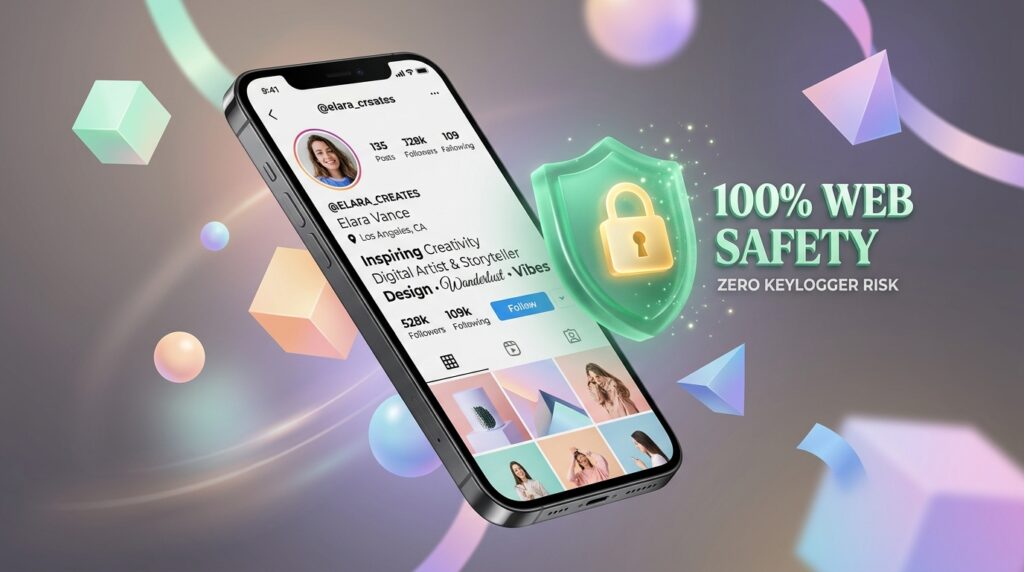
Your Instagram bio is your digital storefront. With over two billion active monthly users scrolling through feeds, visitors give your profile an average of under three seconds to decide whether to hit “Follow” or swipe away. Standard plain text often blends into the background, whereas a tasteful serif accent or aesthetic cursive tagline instantly sets you apart.
However, if you search the App Store or Google Play for “Instagram bio fonts,” you’ll be bombarded with dozens of sketchy keyboard apps demanding invasive system permissions, charging monthly subscriptions, and draining your battery.
The good news? You do not need to download a single app to customize your Instagram bio with stunning typography. You can do it in less than 60 seconds directly inside your mobile browser.
Never install third-party font keyboards on your phone. Instead, open a web-based Unicode converter like Instagram Bio Font Generator, type your tagline, copy the converted text to your clipboard, and paste it directly into your Instagram profile bio. It’s 100% free, requires zero app permissions, and protects your device from keylogger risks.
The 4-Step Guide: Change Your Instagram Bio Font Without Apps
Follow these four simple steps on iPhone, iPad, Android, or desktop computer:
Open Safari, Chrome, or any mobile browser and head over to the Instagram Bio Font Generator on FreeAIToolsBox. Because this tool runs entirely on client-side JavaScript, your text is never stored or transmitted to external servers.
Enter the phrase you want to style into the input box. You will immediately see over 120 aesthetic styles generate in real time—ranging from Elegant Cursive (𝒲𝑒𝓁𝒸𝑜𝓂𝑒), Bold Serif (𝐖𝐞𝐥𝐜𝐨𝐦𝐞), and Gothic Old English (𝔚𝔢𝔩𝔠𝔬𝔪𝔢) to Modern Monospace (𝚆𝚎𝚕𝚌𝚘𝚖𝚎).
Tap the Copy button next to your favorite font option. A green confirmation badge will verify that the styled text has been copied to your device’s clipboard.
Open the Instagram app, navigate to your profile tab, tap Edit Profile, tap on the Bio field, long-press to tap Paste, and tap the checkmark in the top right corner to save your changes. Your aesthetic bio is now live for all your visitors!
The Cybersecurity Warning: Why You Must Avoid “Font Keyboards”
If you search for fonts on mobile app marketplaces, hundreds of keyboard utilities promise “50+ Free Fonts for Instagram!” What these apps don’t tell you on their splash screens is the severe security compromise required to use them.
On iOS and Android, custom keyboards cannot function without requesting “Full Access” (iOS) or “Accessibility & Device Control” (Android). When you grant this permission, your operating system presents a stern warning:
“Full Access allows the developer of this keyboard to transmit anything you type, including bank account numbers, passwords, credit card info, and private messages, back to their servers.”
Numerous cybersecurity audits have revealed that shady third-party keyboards harvest keystrokes, bundle adware telemetry, and quietly sell user clipboard logs to programmatic ad brokers.
In contrast, a web-based generator like FreeAIToolsBox requires zero permissions, installs zero background daemons, and processes all character transformations locally in your browser memory.
| Feature / Metric | FreeAIToolsBox (Web Tool) | Third-Party Keyboard Apps | Default Phone Keyboard |
|---|---|---|---|
| App Download Required | No (Runs in Browser) | Yes (50 MB – 150 MB) | Built-in (Preinstalled) |
| Device Permissions Needed | Zero Permissions | Full Keystroke Access | Native OS Sandbox |
| Keylogger Security Risk | Zero Risk (Client-side) | High (Keystroke telemetry) | Zero Risk (Apple/Google) |
| Available Font Styles | 120+ Unicode Styles | 20–40 (Rest locked behind paywall) | 1 (System Default) |
| Subscription Cost | 100% Free Forever | $4.99 – $9.99 / week | Free |
The 150-Character Limit Math & Unicode Surrogate Pairs
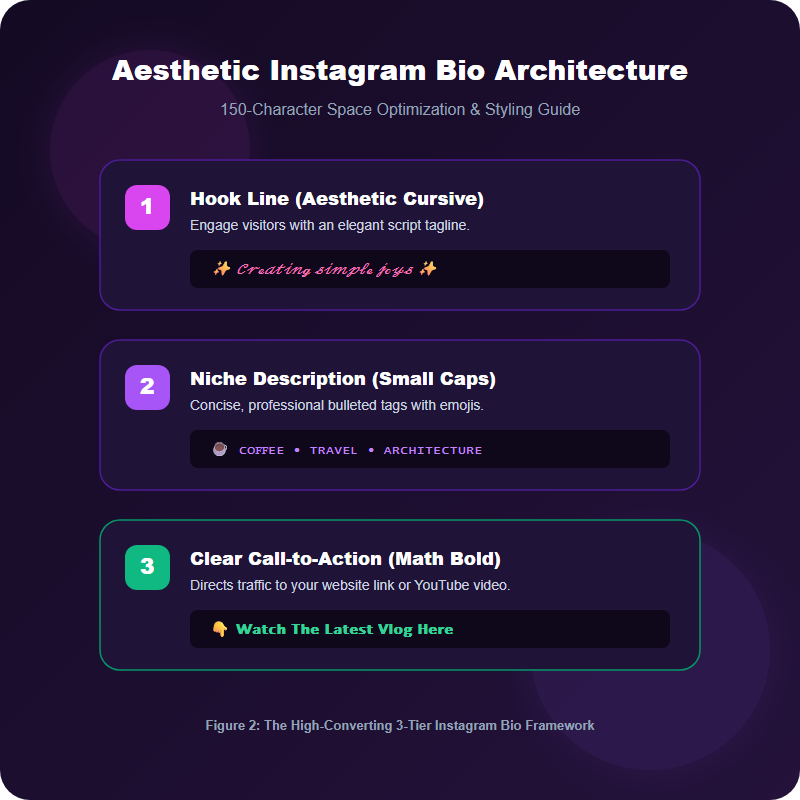
Instagram enforces a strict 150-character limit for the bio field. When you style text using aesthetic fonts, you might occasionally notice the save button warning that you have exceeded the character limit even when your text appears to be under 150 characters.
Here is the engineering reason behind this:
Standard English letters (A-Z) reside in the Basic Multilingual Plane (BMP) of Unicode and occupy 1 code point and 1 byte in UTF-8. In contrast, Mathematical Alphanumeric Symbols (such as 𝐁𝐨𝐥𝐝, 𝒞𝓊𝓇𝓈𝒾𝓋𝑒, or 𝔻𝕠𝕦𝕓𝕝𝕖-𝕊𝕥𝕣𝕦𝕔𝕜) reside in the Supplementary Multilingual Plane (SMP, range U+1D400 to U+1D7FF).
In systems that count raw UTF-16 code units rather than visual grapheme clusters, each styled character can count as two code points. While Instagram’s modern mobile client has updated its counter to recognize most SMP characters as single graphemes, complex stacked combining marks (like Zalgo glitch accents) consume multiple code units and will rapidly eat away your 150-character budget.
Pro Tip: Keep your styled bio text between 120 and 135 characters to guarantee you never run into database truncation errors across different versions of the Instagram app.
5 High-Converting Aesthetic Instagram Bio Formulas
Stuck on how to design your bio? Top creators and brands structure their 150 characters using proven typography formulas. Here are five copy-and-paste layouts you can customize in our Aesthetic Font Generator:
📍 Los Angeles, CA
💡 Daily design inspiration & tutorials
👇 𝐉𝐨𝐢𝐧 𝐭𝐡𝐞 𝐍𝐞𝐰𝐬𝐥𝐞𝐭𝐭𝐞𝐫 (𝐅𝐫𝐞𝐞 𝐏𝐃𝐅)
Handcrafted ethical fashion • Zero plastic
📦 Worldwide carbon-neutral shipping
🛍️ 𝓢𝓱𝓸𝓹 𝓝𝓮𝔀 𝓐𝓻𝓻𝓲𝓿𝓪𝓵𝓼 𝓑𝓮𝓵𝓸𝔀
Helping 500+ athletes build elite strength
🏆 NASM Certified Trainer • CSCS
📲 𝐃𝐌 ‘𝐑𝐄𝐒𝐔𝐋𝐓𝐒’ 𝐟𝐨𝐫 𝟏-𝐨𝐧-𝟏 𝐒𝐥𝐨𝐭𝐬
architectural photography • mono vibes
curating stillness in a noisy world
[ linktr.ee/aesthetic ]
Recommended Typography Tools for Social Profiles
Ready to give your social presence a complete aesthetic makeover? Try our free suite of typography utilities:
Frequently Asked Questions
Do I need to install a special font keyboard app to get stylish fonts on Instagram?▼
No! You should never install third-party font keyboards. They require ‘Full Access’ permissions that can record every keystroke, including passwords and banking details. A web-based Unicode converter generates the exact same fonts directly in your browser without any app downloads or security risks.
Do stylish fonts count as more characters toward Instagram’s 150-character limit?▼
Instagram counts user-visible grapheme clusters, not raw bytes. However, certain complex font styles and multi-accent glyphs (like Zalgo or double-struck symbols) can take multiple code units in UTF-16, occasionally causing the bio save button to reject text earlier than plain letters. Always leave 5 to 10 characters of buffer space.
Will changing my Instagram bio font hurt my account search visibility (SEO)?▼
It can if you style your primary keyword. Instagram’s search algorithm matches search queries against your ‘Name’ and ‘Username’ fields. Keep your primary Name and targeted industry keywords in standard font so the search engine can index you, and use stylish fonts for your bio tagline and call to action.
Why do some stylish fonts look like blank boxes or question marks on my friend’s phone?▼
If a friend is using an older Android OS version (Android 10 or older), their phone’s system font may not include newer Unicode symbols, rendering a fallback ‘tofu’ box. Sticking to Mathematical Bold, Cursive, or Monospace guarantees 100% compatibility across all devices.
Can screen readers read stylish fonts for visually impaired followers?▼
Screen readers (like VoiceOver on iOS and TalkBack on Android) interpret Mathematical Unicode symbols as mathematical terms (e.g., ‘Mathematical Bold Capital A’). To keep your profile accessible, only style key phrases or call-to-actions, leaving essential instructions in standard text.
Can I use stylish fonts in Instagram captions, comments, and Stories?▼
Yes! Because the generated text is standard Unicode, you can paste it anywhere text is accepted across Instagram, including post captions, comments, direct messages (DMs), and text overlays in Instagram Stories.


Join 100,000+ AI Enthusiasts
Get the latest AI tool reviews, tutorials, and exclusive news delivered straight to your inbox.
No spam. Unsubscribe at any time.