
Why Do Stylish Fonts Show as Question Marks (Tofu Boxes)? How to Fix It
 FreeAIToolsBox's Team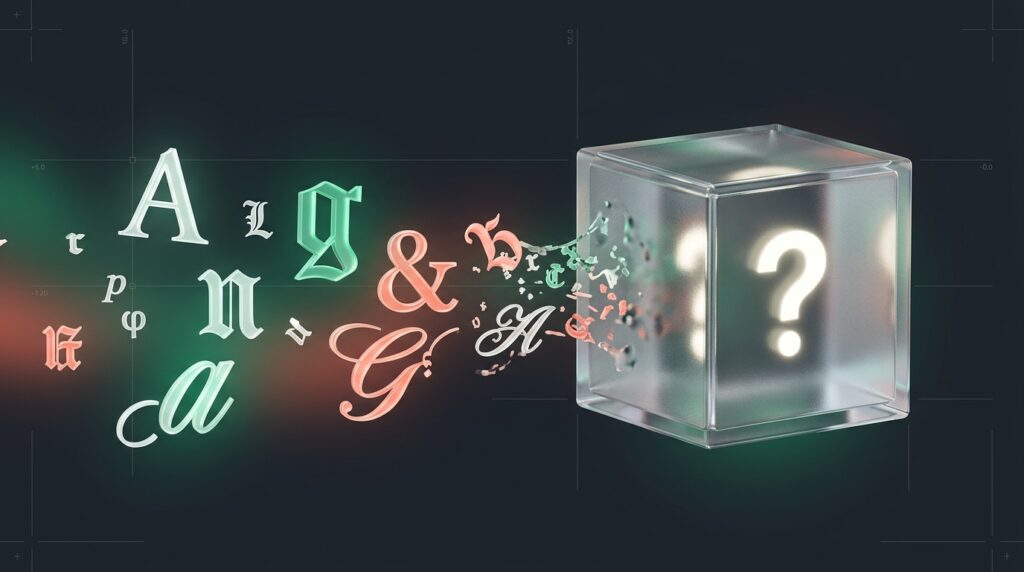
Have you ever spent fifteen minutes perfecting an aesthetic Instagram bio, a Discord server role, or a Free Fire nickname, only for a friend to message you: “Hey, why does your name just look like a bunch of blank boxes with question marks?”
If you’ve spent any time customizing your online profiles, you’ve almost certainly run into these empty rectangular boxes (▯ or ). In typography engineering, they are affectionately called “tofu” because they resemble small white cubes of firm bean curd.
Here is the honest truth: your phone isn’t broken, the font generator didn’t fail, and Instagram didn’t censor your text. What you are witnessing is one of the most fundamental architectural mechanisms of computer typography: the Unicode .notdef fallback trigger.
When stylish text displays as an empty box or question mark, the viewer’s device lacks the specific font table required to render that character’s Unicode code point. Your phone might have modern Apple or Google font files that render the symbol beautifully, but an older Android phone, school Chromebook, or budget tablet will fall back to glyph 0 (the .notdef box). To avoid this permanently, use universal Mathematical Alphanumeric Symbols that are pre-installed on 99.8% of devices worldwide.
What Is a “Tofu” Character? The Unicode .notdef Mechanism
To understand why tofu happens, you first need to understand how stylish fonts actually work.
When you use a font generator like FreeAIToolsBox Stylish Fonts Generator, you are not downloading or embedding a .ttf or .otf font file like Arial or Helvetica. Social media apps and gaming platforms don’t allow users to upload custom font files.
Instead, you are copying Unicode symbols.
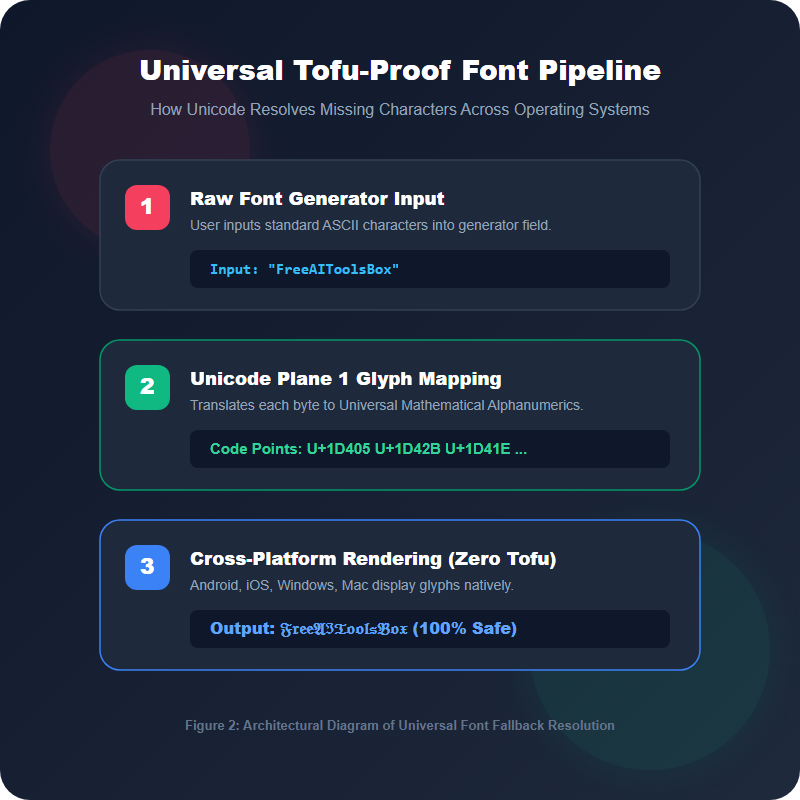
The Unicode Consortium assigns a unique hexadecimal number (a “code point”) to every character in human history. For standard English, the capital letter “A” is code point U+0041. Every phone and computer manufactured in the last thirty years knows exactly how to draw U+0041.
However, Unicode also contains specialized mathematical alphabets originally created for scientific equations. For example, Mathematical Bold Capital A is U+1D400 (𝐀), and Fraktur Gothic Capital A is U+1D504 (𝕬).
Here is where the breakdown occurs:
- Step 1 (The Lookup): When an app attempts to display text on a screen, the operating system looks up the character’s code point in its installed system fonts (such as San Francisco on iOS, Roboto on Android, or Segoe UI on Windows).
- Step 2 (The Fallback): If the primary font lacks that character, the OS searches its secondary “fallback” fonts (like Google Noto or Segoe UI Symbol).
- Step 3 (The .notdef Failure): If none of the installed font files contain a vector drawing for that code point, the TrueType specification requires the font engine to render Glyph Index 0: the
.notdef(Not Defined) character.
In most modern operating systems, Glyph Index 0 is designed as a hollow white rectangle or a rectangle with an internal question mark.
Device Discrepancies: Why Your Friends See What You Don’t
One of the most frustrating aspects of tofu errors is device discrepancy. You type out your nickname on your iPhone 15, and it looks flawless. You ask your friend to look at your profile on their budget Android phone, and half your bio is missing.
Why does this happen? The answer comes down to Operating System Font Rendering Architecture:
| Platform | Rendering Engine | Unicode Version | Tofu Fallback Symbol |
|---|---|---|---|
| Apple iOS & macOS | CoreText (Apple Color Emoji, PingFang) | Unicode 15.1 | ? inside dashed box |
| Modern Android (12+) | Skia / FreeType (Google Noto Project) | Unicode 15.0 | ⯐ white tofu box |
| Older Android (≤ 10) | Legacy FreeType (Standard DroidSans) | Unicode 11.0 or older | ▯ blank rectangular box |
| Microsoft Windows 11 | DirectWrite (Segoe UI Symbol) | Unicode 15.0 | 🗌 square box with ‘x’ |
Apple updates CoreText system fonts with every major iOS release, automatically pushing the newest Unicode glyphs to over 90% of active iPhones within three months. In contrast, older Android devices rely on OEM firmware updates that frequently cease after two years, leaving their system font tables permanently frozen in time.
How to Fix Tofu Fonts on Any Device
Depending on whether you are the person viewing the text or the person posting it, here is how you solve tofu boxes:
If You Are the Viewer (Fixing Your Own Device)
- On Android: Open Settings → Security & Privacy → Updates → Google Play System Update. Google now delivers font and emoji updates directly through the Play Store via Project Mainline, meaning you don’t need a full operating system firmware upgrade to fix missing characters.
- On Windows: Navigate to Settings → Apps → Optional Features → Add a Feature and search for “Supplemental Fonts”. Installing this package equips Windows DirectWrite with complete multi-language Asian ideographs and mathematical symbols.
- In Web Browsers: If certain websites show boxes, install the official Noto Sans font package on your system, or enable “Allow pages to choose their own fonts” in your browser’s font settings.
If You Are the Creator (Guaranteeing 100% Cross-Platform Delivery)
If you run an online brand, an esports clan, or a creator account, you cannot ask your followers to update their phone settings. You need to ensure your stylish text works on literally every screen.
Here is the golden rule: Stick to Mathematical Alphanumerics and avoid extreme symbol stacking.
Font Styling Best Practices: Do’s and Don’ts
- Use Mathematical Bold: 100% universal compatibility across all smartphones manufactured since 2012.
- Keep Handles in Plain Text: Ensures you remain searchable on Instagram, TikTok, and Twitter search algorithms.
- Style Key Accent Words: Use stylish fonts for titles, taglines, and callout words rather than full paragraphs.
- Test on Secondary Hardware: Have someone check your profile on a different brand of phone before launching a major campaign.
- Avoid Extreme Zalgo Glitch Spam: Stacking 20+ combining diacritical marks triggers app crashes and tofu boxes.
- Don’t Style Entire Paragraphs: Screen readers used by visually impaired people pronounce each styled symbol individually.
- Never Install “Font Keyboards”: Third-party keyboards requesting Full Access permissions pose massive keylogger risks.
- Avoid Private Use Area (PUA) Glyphs: Characters in range U+E000 only display on the specific machine that created them.
Frequently Asked Questions
Why does my stylish font look normal to me, but shows as question marks to my friends?▼
Your device (such as an iPhone or modern Mac) has newer system font tables installed that support those Unicode code points. Your friends’ devices (such as older Android phones or school computers) have older font files that lack those characters. When their operating system cannot find the character, it renders the .notdef question mark box.
Can I fix question mark fonts without updating my operating system?▼
On Android, updating the ‘Google Play system update’ via Settings installs updated font binaries without a full OS update. On Windows, installing the ‘Supplemental Fonts’ optional package resolves most missing glyphs immediately.
What is the safest stylish font to use on social media?▼
Mathematical Bold (Serif and Sans) and Monospace are the safest font styles in existence. They have been included in Unicode since 2001 and are natively embedded in virtually every smartphone, tablet, laptop, and gaming console.
Why is it called ‘tofu’ in typography?▼
The name was coined by Japanese software engineers because the empty white rectangular box drawn by early computers looks just like a block of firm Japanese tofu. Google named its universal font project ‘Noto’ (No More Tofu) to permanently eliminate these boxes across all world languages.
What is a .notdef glyph in font files?▼
In TrueType and OpenType specifications, glyph index 0 is permanently reserved for .notdef (Not Defined). When a font engine receives a character code with no corresponding glyph in the font’s cmap table, it must draw glyph 0, which by default is a hollow box or a box with a question mark.
Does Instagram ban accounts for using stylish fonts?▼
No. Instagram does not penalize or ban accounts for using Unicode fonts in bios, captions, or comments. However, screen readers used by visually impaired people cannot read certain complex symbols, so it is recommended to keep your username in standard text and use stylish fonts for bio highlights and quotes.


Join 100,000+ AI Enthusiasts
Get the latest AI tool reviews, tutorials, and exclusive news delivered straight to your inbox.
No spam. Unsubscribe at any time.