Erase.bg: AI Background Remover
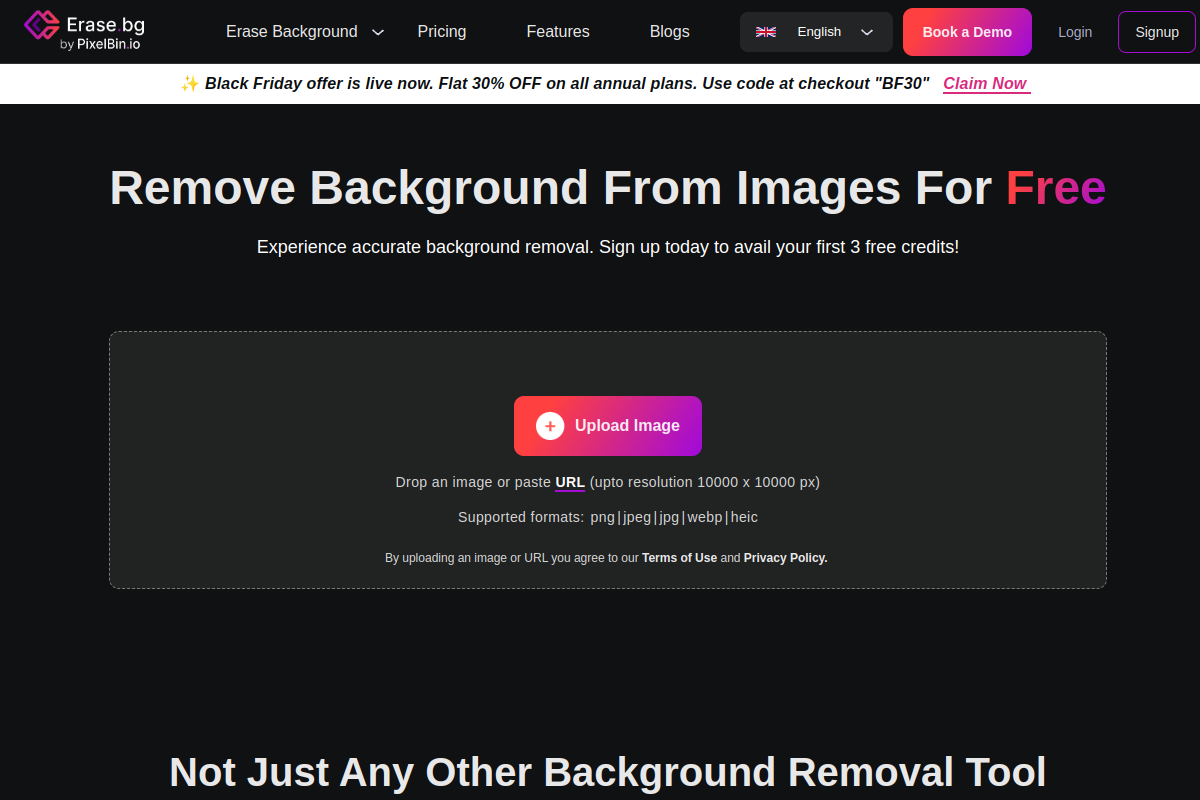
Erase.bg is an advanced AI-powered tool designed for effortless background removal from images. It simplifies the process of creating professional-looking transparent or custom backgrounds for various visual needs.
Executive Summary
Erase.bg is a powerful AI-driven tool that excels at automatically removing image backgrounds, making it a go-to solution for anyone needing to create transparent images or change backgrounds quickly. While it provides excellent accuracy and high-resolution output for tasks like ‘product image background removal’, users seeking extensive photo editing capabilities or advanced ‘Erase.bg alternatives’ might find its features focused primarily on background-related tasks. It offers a freemium model with paid plans catering to more intensive use cases.
What is Erase.bg: AI Background Remover?
Erase.bg is a highly efficient AI-powered tool that automatically removes backgrounds from images with precision and speed. It serves as an online background remover, enabling users to generate transparent backgrounds or replace them with solid colors or custom images. This advanced image background editor leverages artificial intelligence to handle complex elements like hair and fur, ensuring clean and accurate cutouts for a variety of uses, from personal projects to professional e-commerce product listings.
Key Features
- AI-Powered Automatic Background Removal: Utilizes advanced AI algorithms to precisely detect and remove backgrounds from images, including challenging details like hair and intricate edges.
- High-Resolution Output: Supports downloading transformed images in HD and up to 4K resolution without compromising quality.
- Batch Processing: Allows users to process multiple images simultaneously, saving time for bulk tasks and e-commerce needs.
- Customizable Backgrounds: After removing the original background, users can replace it with a solid color or choose from various templates and custom images.
- User-Friendly Interface: Offers a simple drag-and-drop functionality and an intuitive design, making it accessible for users without advanced editing skills.
- Mobile App Availability: Available as an application on both Android and iOS devices for on-the-go background removal and editing.
Pros
- Clean & Accurate Background Removal: Provides impressive results with sharp cutouts and handles complex edges effectively.
- Speed and Efficiency: Removes or changes backgrounds in seconds, significantly saving time compared to manual editing.
- High-Quality Output: Allows downloading images in high resolution (HD to 4K) without loss of quality.
- Ease of Use: Features a simple, intuitive interface that does not require advanced editing skills.
- Supports Multiple Formats: Compatible with various image input and output formats like PNG, JPG, JPEG, WEBP, HEIC, PDF, and GIF.
- Freemium Model: Offers free credits upon signing up and allows free usage for personal purposes with some limitations.
Cons
- Limited Editing Features: Primarily focuses on background removal and basic swaps, with few advanced editing tools.
- AI Background Changer Can Be Unstable: Some tests reported instability with the AI background changer feature.
- Basic Template Library: The selection of templates for background replacement is considered basic.
- Credit-Based System for Pro Features: Heavy users may find the credit-based pricing restrictive for bulk or regular professional use.
- No Manual Refinement on Free Tier: While batch processing is a pro feature, the free version might lack manual refinement for intricate details requiring additional tools.
Who is using it?
- E-commerce Sellers: For creating clean product images with transparent or white backgrounds for online listings.
- Photographers: To streamline post-processing workflows by quickly removing unwanted backgrounds from portraits or other photos.
- Designers: For isolating elements and creating professional graphics for websites, marketing materials, and social media.
- Content Creators: For enhancing visuals for social media posts, blogs, and presentations with eye-catching images.
- Individuals: For personal photo enhancements, profile pictures, and quick image transformations without specialized software.
Frequently Asked Questions
How to use Erase.bg to remove image backgrounds?
Is there an Erase.bg free plan available?
What are some Erase.bg alternatives for background removal?
What are the Erase.bg pricing plans?
Can Erase.bg be used for e-commerce product image background removal?
Free Alternatives & Details
If you’re exploring Erase.bg: AI Background Remover but want to know if there’s a completely free version or better options available, you’re not alone. While Erase.bg: AI Background Remover offers great features, many users look for a 100% free Erase.bg: AI Background Remover alternative before committing to a paid plan. In 2026, the AI landscape has exploded with open-source tools and generous free tiers. Before you pay for a premium subscription, make sure to check out our complete directory of free AI tools to compare the best free alternatives currently on the market.