
Beautiful.ai
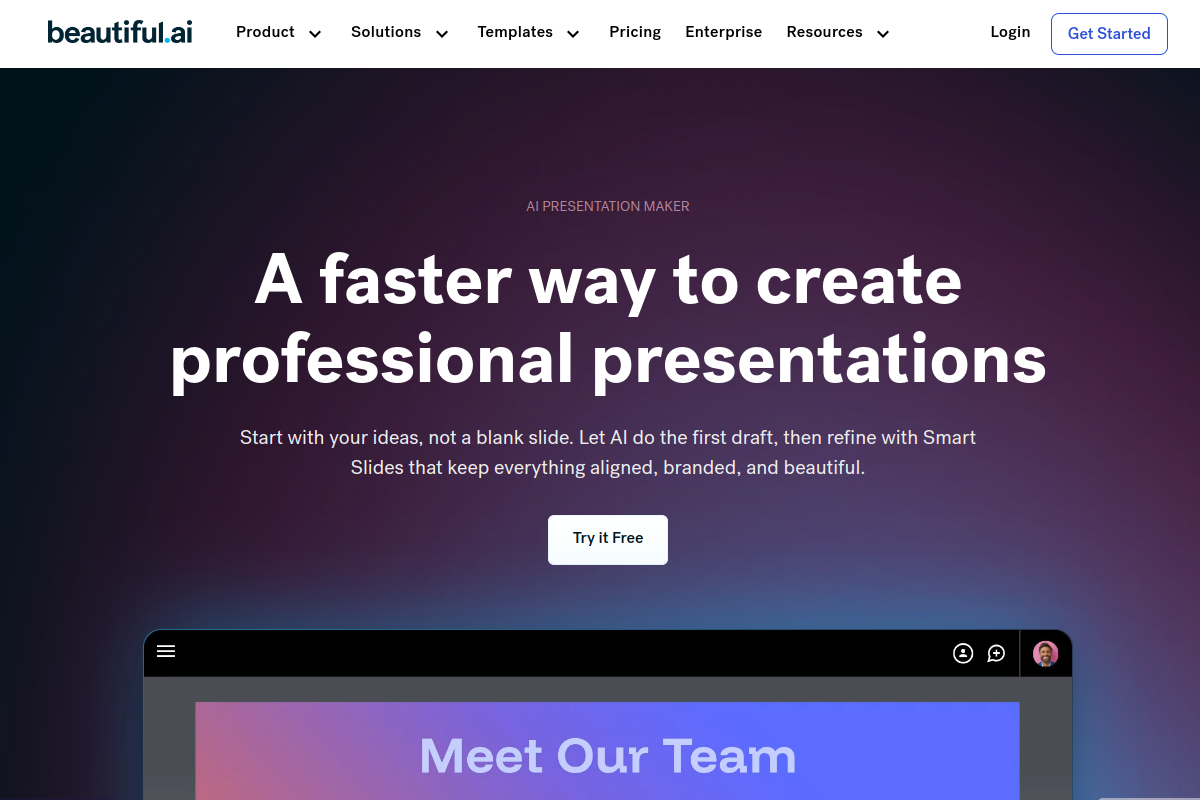
Beautiful.ai is an AI-powered presentation tool that simplifies design with smart templates and automation. It helps users quickly create professional, visually appealing slide decks.
Executive Summary
Beautiful.ai is an innovative AI presentation tool that simplifies creating professional, visually appealing slide decks by automating design with smart templates and AI content generation. It helps users quickly produce on-brand presentations, making it ideal for those who prioritize efficiency and consistent design.
What is Beautiful.ai?
Beautiful.ai is an AI-powered presentation software designed to simplify and accelerate the creation of visually stunning and professional slide decks. It automates design principles, ensuring consistency and aesthetic appeal across all slides, making it accessible even for users without extensive design experience.
This intelligent platform leverages AI to generate content, adapt layouts, and suggest design elements in real-time, allowing users to focus on their message rather than manual formatting.
Key Features
- Smart Slide Templates: Offers hundreds of customizable, AI-driven templates that automatically adjust layouts and content for consistent, professional designs.
- AI Content Generation: Generates presentation drafts, images, and text content from prompts, acting as an AI writing assistant and image generator.
- Brand Control & Customization: Enables users to apply custom brand styling, including colors, fonts, and logos, across all presentations with ease.
- Real-time Collaboration: Facilitates team productivity with shared slide libraries, brand controls, and real-time editing features.
- Export & Integrations: Supports seamless export to formats like PowerPoint and PDF, and integrates with popular tools such as Slack, Salesforce, and Dropbox.
Pros
- Automated Design: AI-powered smart slides auto-adjust layouts, fonts, and colors for professional results.
- Speed & Efficiency: Significantly reduces presentation creation time, ideal for quick, polished decks.
- Brand Consistency: Enforces brand guidelines across all presentations with custom themes and assets.
- AI Content Generation: Generates text, images, and presentation drafts from prompts.
- Collaboration Tools: Supports real-time editing and shared libraries for team productivity.
Cons
- Limited Customization: Creative control can feel restricted by AI-enforced layouts and template reliance.
- Repetitive Designs: Presentations may appear similar due to extensive template reuse.
- Billing Issues: Some users report difficulties with cancellations and unexpected charges after trials.
- Offline Export Quality: PowerPoint exports can suffer from low quality and formatting issues.
- Learning Curve for Specifics: Adapting to its unique design logic can take time for some users.
Who is using it?
- Sales Professionals: For rapidly creating customized sales decks and proposals.
- Marketers: To produce polished reports, campaign plans, and engaging marketing presentations without design expertise.
- Entrepreneurs & Startups: For developing investor pitch decks, product overviews, and business plans efficiently.
- Educators & Trainers: To design modern, professional learning materials and course modules.
- Consultants: For transforming data and insights into visually engaging client narratives.
Frequently Asked Questions
What is Beautiful.ai used for?
How much does Beautiful.ai cost?
Does Beautiful.ai offer a free trial?
Can I import PowerPoint to Beautiful.ai?
What are the main alternatives to Beautiful.ai?
Is Beautiful.ai good for teams?
Free Alternatives & Details
Verdict From an Expert
Site Editor’s Verdict: Beautiful.ai excels as an AI-driven presentation solution for users seeking efficiency and consistent, professional design without extensive manual effort. While its automated approach ensures polished results rapidly, users with highly specific creative demands or a need for intricate, pixel-level control might find its design guardrails limiting. Its strength lies in streamlining the presentation workflow, particularly for business, marketing, and sales teams who prioritize speed, brand consistency, and visually appealing outputs. However, potential users should be aware of reported billing issues after trials and some limitations in customization.
Real User Sentiment
Beautiful.ai receives generally positive feedback for its ease of use, speed in creating professional presentations, and intelligent design automation. However, a segment of users expresses dissatisfaction regarding limited customization options, occasional clunky functionality, and issues related to billing and subscription cancellations.
70%
15%
15%
Learning Curve Score
| Ease of Use | 4/5 ⭐ |
| Level | Low to Medium |
| Beginner Friendly? | Yes ✅ |
| Time to Master | 1-2 hours for basic use, a few days for advanced features |
Feature Scorecard
8/10
9/10
8/10
6/10
7/10
Best Use Cases
- Pitch Decks: Quickly craft compelling and visually striking investor presentations.
- Marketing Presentations: Generate on-brand reports, proposals, and campaign summaries with ease.
- Sales Proposals: Create personalized and professional sales decks in minutes.
- Internal Communications: Develop clear and consistent team updates or training materials.
- Educational Content: Design engaging lectures, course modules, and student presentations.
Alternatives Comparison Table
| Alternative | Strength | Pricing | Why Choose It? |
|---|---|---|---|
| Gamma | Creates modern, visually appealing designs and offers strong collaboration features for various content types beyond presentations. | Offers a free plan with paid tiers for more features. | Choose Gamma for a more modern aesthetic and if you need a tool that can generate multiple content types, including documents and websites, with good team collaboration. |
| Canva Magic Design | Design-first approach with significantly more flexibility in editing AI-generated slides and a vast library of design assets. Offers a robust free plan. | Free plan available, with paid ‘Pro’ and ‘Enterprise’ tiers. | Opt for Canva if you prioritize greater creative control, a wider range of design elements, and a strong free tier for diverse design needs. |
| Plus AI | Seamlessly integrates with Google Slides, allowing users to leverage AI directly within existing presentations and incorporate their own data through ‘Snapshot’ technology. | Subscription-based, with plans starting around $15-25/month. | Select Plus AI if you primarily work within Google Slides and require AI assistance for co-writing content, reformatting existing slides, and integrating live data. |
Workflow Diagram
Best Prompt Examples
Pricing Breakdown
| Plan | Price | Features | Verdict |
|---|---|---|---|
| Pro | $12/month (billed annually) or $45/month (billed monthly) | Unlimited AI content generation, Smart Slides, AI text and image generation, stock media access, PowerPoint import/export, viewer analytics, custom brand styling. | Best for individual professionals, consultants, and freelancers seeking efficient, AI-powered presentation creation. |
| Team | $40/user/month (billed annually) or $50/user/month (billed monthly) | Everything in Pro, plus real-time collaborative editing, centralized slide and template library, shared asset library, version control, and advanced team administration. | Ideal for small to medium-sized teams and businesses that require consistent branding and collaborative presentation workflows. |
| Enterprise | Custom Pricing | Includes all Team features, plus SAML SSO, audit events, user provisioning (SCIM), advanced permissions, dedicated onboarding, and priority support for large organizations (20+ users). | Tailored for large enterprises needing comprehensive control, security, and integration with existing IT infrastructure. |
Limitations You Should Know
- Limited creative control and customization options beyond pre-defined templates.
- Potential for presentations to appear repetitive due to reliance on a fixed set of design rules and templates.
- Some users have reported issues with billing and subscription cancellation processes after free trials.
- Exporting presentations to PowerPoint can sometimes result in low quality or inconsistent formatting.
Who Should NOT Use This Tool
- Power users and creative professionals who require granular control over every design element and pixel.
- Users who frequently need unique, highly customized, or complex visual presentations that deviate from standard templates.
- Organizations or individuals seeking a robust free tier with full feature access, as the trial is limited to 14 days.