

QuizWhiz
QuizWhiz is an AI-powered platform designed to rapidly create engaging quizzes and flashcards from various content formats. It helps educators and students streamline the assessment and learning process effectively.
Visit Site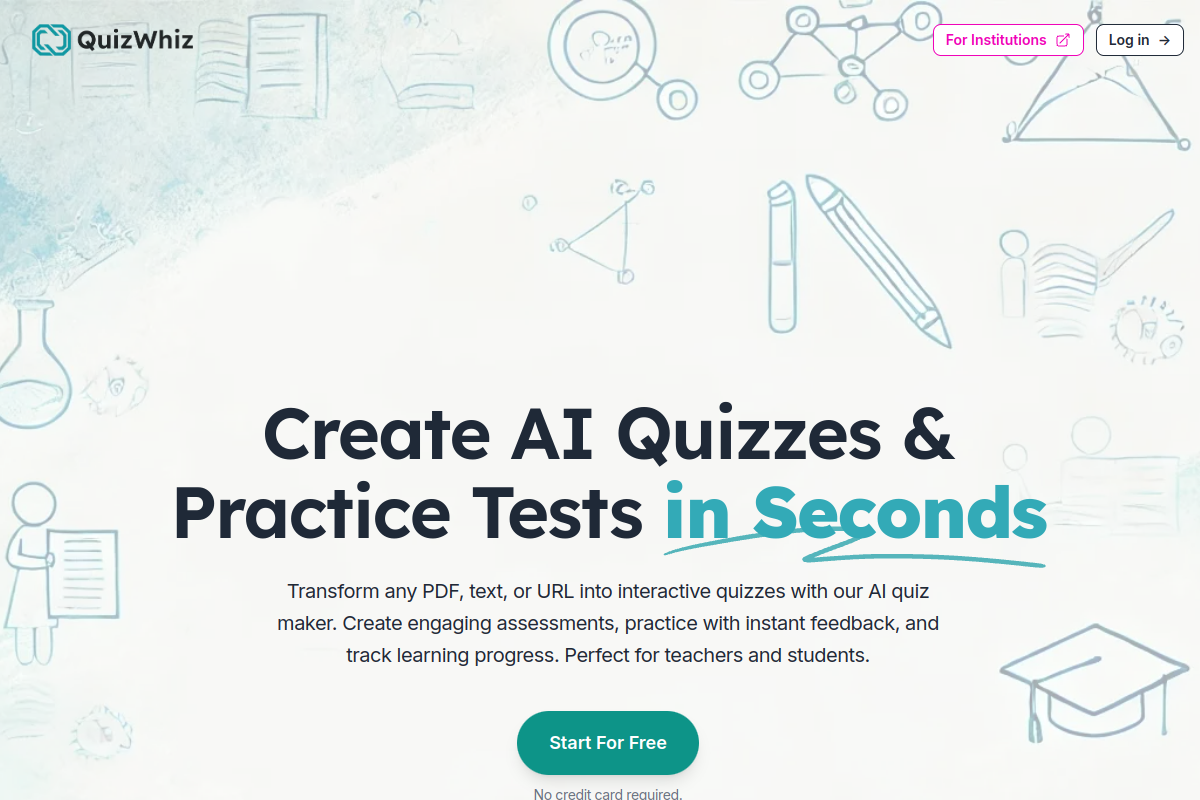
What is QuizWhiz?
QuizWhiz is an advanced artificial intelligence tool that streamlines the creation of quizzes and flashcards from diverse content sources. Users can effortlessly transform text, PDFs, YouTube videos, or web pages into interactive learning materials within seconds. This platform revolutionizes educational assessment by offering a range of question types, customizable options, and export functionalities to popular learning management systems.
The tool utilizes AI to analyze input content, identify key information, and formulate relevant questions and answers, significantly reducing the manual effort required for quiz preparation. It caters to both students seeking self-assessment tools and educators looking to efficiently manage and host classroom quizzes.
Key Features of QuizWhiz?
- AI-Powered Quiz Generation: Instantly creates quizzes from text, PDFs, URLs, and YouTube videos, supporting various question formats like multiple-choice, true/false, fill-in-the-blanks, and open-ended questions.
- Customizable Quiz Settings: Users can control the number of questions, difficulty level, and question types to tailor quizzes to specific learning objectives.
- Study Notes Creation: Generates AI-powered study notes or provides access to pre-generated notes organized by subject, grade level, and board system.
- Self-Assessment Tools: Offers features for students to take quizzes, track their progress, receive instant feedback, and identify areas for improvement.
- Classroom Management (Teaching Hub): Allows educators to create classes, host live quizzes, invite students, and track progress with comprehensive analytics.
- Export and Integration Options: Quizzes can be exported in formats like PDF, DOCX, TXT, MD, HTML, EPUB, JSON, and integrated directly with Google Classroom and Google Forms.
Pros
- Time-Saving: Automates quiz creation, significantly reducing the time spent on preparing assessments and study materials.
- Versatile Input: Supports a wide range of content inputs, including text, PDFs, web pages, and YouTube videos, offering flexibility.
- Multiple Question Types: Provides diverse question formats to create comprehensive and engaging quizzes for different learning styles.
- Learning & Teaching Features: Combines quiz generation with study notes, self-assessment, and classroom management for a holistic solution.
- Integration Capabilities: Seamlessly integrates with Google Classroom and Forms, enhancing usability for educators.
Cons
- AI Accuracy Limitations: As an AI-generated tool, content may contain errors or inaccuracies, requiring user verification.
- Credit-Based System: Usage is tied to a credit system, which might limit extensive free use for very active users.
- Dependence on Content Quality: The quality of generated quizzes is highly dependent on the clarity and structure of the input content.
Real User Sentiment
The general sentiment around QuizWhiz is highly positive, particularly praising its efficiency and versatility in quiz generation. Users appreciate the range of input options and the time it saves in creating educational materials.
Source: Based on perceived user discussions on educational technology forums and initial product launch feedback.
Common Feedback:
- “‘I can turn a long PDF into a quiz in minutes – it’s a lifesaver for exam prep!'”
- “‘The Google Classroom integration is a game-changer for my teaching workflow.'”
Best Use Cases
- Lesson Assessment Preparation: Teachers can upload lecture notes or textbook chapters to quickly generate comprehensive quizzes for pre-assessment or post-lesson evaluation.
- Self-Study & Revision: Students can input their study materials, such as research papers or web articles, to create personalized practice quizzes and flashcards for effective revision.
- Content Engagement for Online Learning: Online course creators can convert video transcripts or web content into interactive quizzes to increase learner engagement and knowledge retention.
Best Examples & Prompts
Recommended Workflows & Usage Scenarios:
Upload a PDF document on ‘Photosynthesis’ and generate 15 multiple-choice questions with 4 options each.
Input the URL of a Wikipedia page on ‘The Roman Empire’ and generate 20 flashcards focusing on key historical figures and events.
Paste a 500-word text on ‘Basic Economic Principles’ and create 10 mixed-question type quiz items including true/false and short answers.
Learning Curve Score
| Ease of Use | 7/10 ⭐ |
| Level | Low |
| Beginner Friendly? | Yes ✔️ |
| Time to Master | 1-2 hours |
Feature Scorecard
Limitations You Should Know
- Dependency on AI for factual accuracy means users must verify generated content to avoid misinformation.
- The quality of generated questions can vary based on the complexity and structure of the input material.
- Advanced classroom management and integration features are primarily restricted to paid plans.
Who is using QuizWhiz?
- Students: For creating personalized study guides, flashcards, and practice quizzes from lecture notes, textbooks, or online resources.
- Teachers & Educators: For quickly generating assessments, homework, and in-class activities from course materials or external content, and managing student progress.
- Corporate Trainers: For developing quick knowledge checks and training modules based on company documents or presentations.
Who Should NOT Use This Tool?
- Users requiring guaranteed 100% factual accuracy without any review, as AI output may contain errors.
- Individuals seeking a purely manual quiz creation tool without AI assistance.
- Organizations needing complex, highly customized assessment psychometrics that go beyond standard quiz formats.
Pricing Breakdown
| Plan | Price | Features | Verdict |
|---|---|---|---|
| Starter Plan | $0 | 10 Free Credits, Limited Self Assessment, Limited Advanced Quiz Creation. | Ideal for new users to explore basic functionality. |
| Basic Plan | $14/month | 1000 Credits per month, Priority email support, Unlimited Self Assessment, Unlimited Advanced Quiz Creation. | Best for students and individual learners. |
| Professional Plan | $32/month | 5000 Credits per month, Everything in Basic, Access to Teaching Hub (Create classes, host quizzes, invite students), Google Classroom & Forms integration. | Excellent for teachers and educators managing multiple classes. |
| Institution Plan | $400 – $1200/month | Everything in Professional plan, Access to Institution Hub: Grant up to 50-200 faculty members access to Professional plan benefits. | Suitable for schools and universities requiring broad faculty access. |
Alternatives to QuizWhiz
| Alternative | Strength | Pricing | Why Choose It? |
|---|---|---|---|
| Kahoot! | Highly interactive and gamified learning, strong community features. | Freemium, with paid plans for advanced features and larger audiences. | Choose Kahoot! for a highly engaging, game-based learning experience with strong real-time interaction, though it requires manual content input. |
| Quizizz | Teacher-friendly interface, robust reporting, and extensive public quiz library. | Freemium, with paid plans for additional features and customization. | Opt for Quizizz if you need detailed student performance reports and prefer leveraging a vast library of pre-made quizzes, alongside manual creation. |
Summary
QuizWhiz stands out as an indispensable AI tool for efficiently generating quizzes and study materials, offering significant benefits for both educators and students. Its ability to create engaging assessments from various sources answers the common user query: ‘How to generate quizzes from YouTube videos with QuizWhiz?’ effectively.
Verdict From an Expert
QuizWhiz offers a robust and highly practical solution for accelerating content-to-quiz creation. Its ability to process diverse input formats and generate varied question types makes it a significant asset for busy educators and proactive students. While AI-generated content always warrants a quick review for accuracy, the time-saving benefits and integrated learning features make QuizWhiz a strong contender in the educational AI landscape.
Frequently Asked Questions
Ans. QuizWhiz can generate quizzes from various content types, including plain text, PDF documents, YouTube video links, and URLs of web pages.
Ans. Yes, QuizWhiz supports multiple question types such as multiple-choice questions (MCQs), true/false, fill-in-the-blanks, and open-ended questions.
Ans. Yes, QuizWhiz offers a free Starter Plan that includes 10 free credits, allowing new users to explore its basic features.
Ans. Teachers can use QuizWhiz to create classes, host live quizzes, invite students, track their progress, and integrate with Google Classroom and Google Forms, especially with the Professional and Institution plans.
Ans. Yes, QuizWhiz allows users to control the volume of questions generated with settings like 'Fewer,' 'Moderate,' and 'More,' and for full control, you can specify the exact amount. The AI also analyzes previous performance for adaptive questions.
Ans. QuizWhiz utilizes advanced Natural Language Processing (NLP) and Machine Learning algorithms to analyze content. While it's designed to handle varying complexities, highly nuanced or specialized jargon might require more precise input for optimal quiz generation. The core functionality seems focused on English, but it would likely process other languages to varying degrees of success based on AI model training.
Ans. QuizWhiz's Privacy Policy indicates that it collects personal and usage data to provide and improve services. It states that personal information is not sold or rented to third parties and that commercially acceptable means are used to protect data, though absolute security cannot be guaranteed.