

Magicform
Magicform is an AI-powered tool designed to instantly generate quizzes and assessments from various content sources. It significantly streamlines the creation of educational and professional evaluations.
Visit Site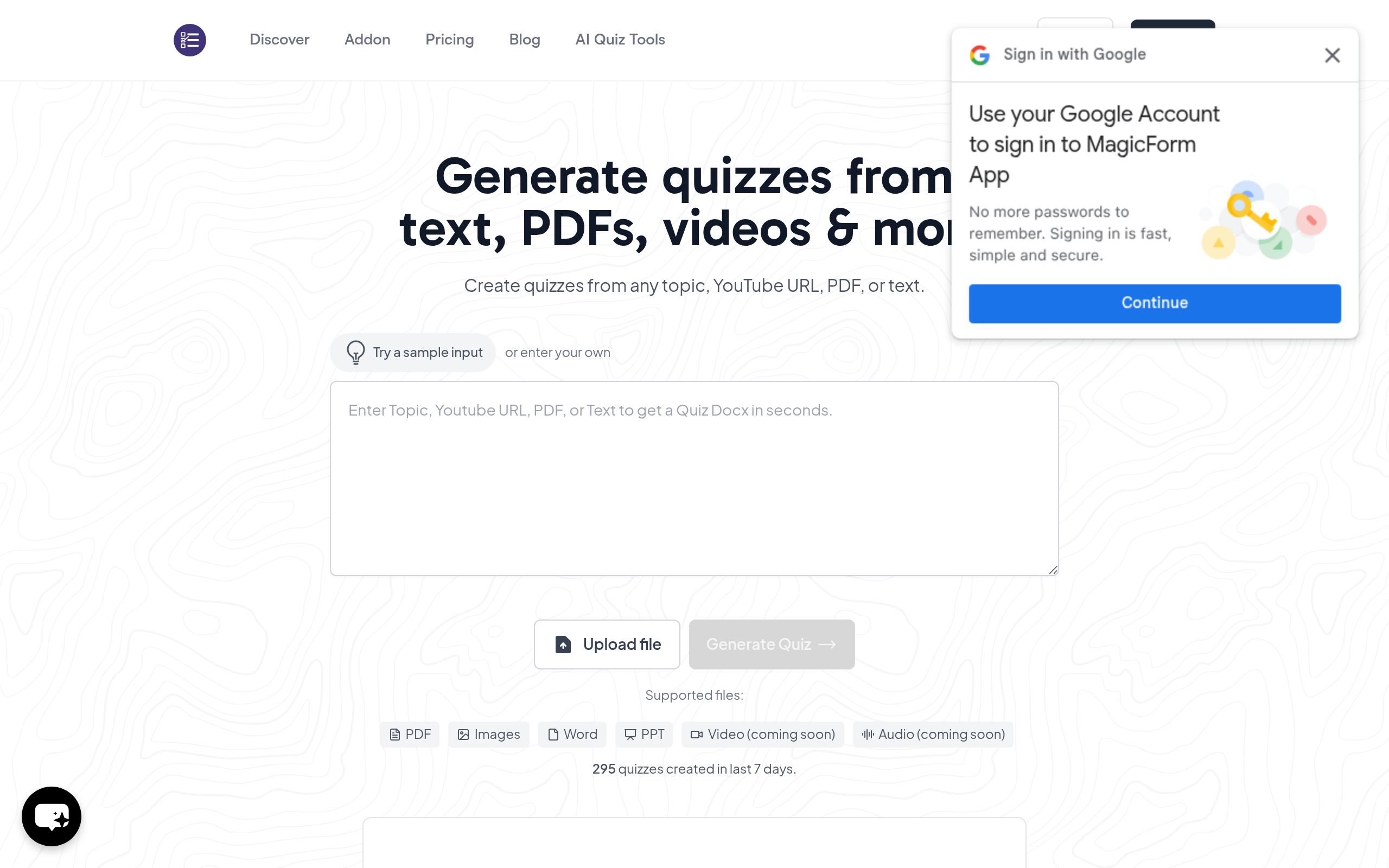
What is Magicform?
Magicform is an AI-powered quiz generation tool available as a Google Forms add-on and a standalone web application. It allows users to quickly create diverse assessments from various content types, including plain text, YouTube video transcripts, PDF documents, and even images.
This innovative solution is designed to streamline the assessment creation process for educators, students, HR professionals, and content publishers, transforming complex information into engaging quizzes in a matter of seconds.
Key Features of Magicform?
- AI Quiz Generation: Automatically creates quizzes from various sources like text, topics, YouTube URLs, PDFs, DOCX, and website URLs.
- Multiple Question Types: Supports generation of multiple-choice, true/false, fill-in-the-blank, and short-answer questions using Magicform.
- Google Forms Integration: Seamlessly integrates as an add-on within Google Forms for a familiar workflow.
- Multi-language Support: Generates quizzes in over 100 languages, expanding its usability globally.
- Content Input Flexibility: Accepts bulk text, topics, YouTube links, PDFs, DOCX files, URLs, and even images as input sources.
Pros
- Massive Time-Saver: Users praise Magicform for drastically reducing the time required to create tests.
- Ease of Use: The simple interface and seamless integration with Google Forms are significant strengths.
- Versatility: Generates quizzes from a wide range of content sources including PDFs, YouTube videos, and raw text.
- Cost-Effective: Offers a free tier and affordable paid plans, providing significant value for assessment creation.
Cons
- Performance Issues: Some power users report that Magicform can be slow, with generation times ranging from 30 seconds to 2 minutes.
- Bugs and Reliability: Occasional reports of buggy control dashboards where inputs do not save correctly.
- AI Quality Concerns: In some instances, the AI output for Magicform has been described as “poorly done” or ignoring context.
Real User Sentiment
User sentiment for Magicform is largely positive, with many praising its efficiency and ease of use in generating quizzes quickly. However, a segment of users, particularly power users, have reported concerns regarding performance speed and occasional AI accuracy issues.
Source: Aggregated from user discussions on Google Workspace Marketplace, AppSumo, and other review platforms.
Common Feedback:
- “‘Magicform is an absolute game-changer; I can now create entire tests in a fraction of the time I used to spend manually!'”
- “‘While the concept is brilliant, I’ve found Magicform to be quite slow at times, making high-volume generation a bit frustrating.'”
Best Use Cases
- Educator Lesson Prep: Quickly generate comprehension quizzes from textbook chapters or lecture notes for immediate student assessment.
- HR Policy Training: Create rapid compliance tests from new company policy documents to ensure employee understanding and adherence.
- Student Self-Study: Transform course readings or online articles into practice quizzes to aid in exam preparation and self-evaluation.
Best Examples & Prompts
Recommended Workflows & Usage Scenarios:
Copy-paste an article about ‘Photosynthesis’ and generate 10 multiple-choice questions.
Input a YouTube URL for a ‘History of World War II’ documentary and create 15 true/false questions.
Upload a PDF of a ‘Marketing Principles’ textbook chapter and generate 20 mixed-type questions.
Learning Curve Score
| Ease of Use | 8.5/10 ⭐ |
| Level | Low |
| Beginner Friendly? | Yes ✔️ |
| Time to Master | 1-2 hours for basic use, a few sessions for advanced functionality |
Feature Scorecard
Limitations You Should Know
- Performance Lag: The tool can sometimes be slow, especially when processing larger content inputs or generating numerous questions.
- AI Output Consistency: Occasional instances where generated questions may be less relevant or of lower quality, requiring manual review.
- Add-on Dependency: While powerful, its tight integration with Google Forms means it’s primarily suited for users within that ecosystem.
Who is using Magicform?
- Educators & Teachers: To create diverse and fresh assessments for students, saving hours of prep time.
- Students: To generate self-assessment tools from study materials, quickly creating practice quizzes from notes or textbooks.
- HR Teams: For developing compliance tests from internal policy documents, ensuring employee understanding of updated policies.
- Publishers & EdTech Companies: To streamline the creation of assessment content for courses and reduce outsourcing reliance.
Who Should NOT Use This Tool?
- Users needing extremely high-speed, high-volume quiz generation without any tolerance for occasional lags.
- Those who require highly nuanced or subjective question types that advanced AI might struggle to formulate accurately.
- Organizations not operating within the Google Workspace ecosystem, as its core integration is with Google Forms.
Pricing Breakdown
| Plan | Price | Features | Verdict |
|---|---|---|---|
| Free | $0/month | 30 Quiz Questions/month, 12,000 Character Input, upto 7 questions per Quiz, URL, YouTube, PDF to Quiz feature, Access to all previous Quiz, Supports 100+ Languages. | Ideal for trying out Magicform and light personal use. |
| Essential | $6.7/month (billed annually at $80) | 1200 Quiz Questions/year, 12,000 Character Input, Upto 20 questions per Quiz, URL, YouTube, PDF to Quiz feature, Access to all previous Quiz, Supports 100+ Languages. | Great for students and casual users needing more questions. |
| Pro | $12.4/month (billed annually at $149) | Unlimited Quiz Questions/month, 12,000 Character Input, Upto 40 questions per Quiz, All Essential features. | Most popular, suitable for educators and professionals requiring robust capabilities. |
| Premium | $23.3/month (billed annually at $279) | Unlimited Quiz Questions/month, 50,000 Character Input, Upto 50 questions per Quiz, Priority Support, Custom Quiz Branding, Advanced Analytics & Reports. | Best for institutions and power users requiring high-volume generation and advanced features. |
Summary
Magicform stands out as an efficient AI quiz generator, empowering users to transform various content types into interactive assessments rapidly. While generally praised for its time-saving capabilities and ease of use, understanding Magicform pricing plans explained is key for optimal usage.
Verdict From an Expert
Magicform presents itself as a highly valuable AI education tool, especially for its core functionality of rapidly generating quizzes from diverse content. Its deep integration with Google Forms is a standout feature, offering a nearly frictionless experience for users already within that ecosystem. While it excels in convenience and time-saving for moderate usage, potential users should be aware of reported performance inconsistencies for high-volume tasks and occasional AI output quality variations. It’s a compelling solution for streamlining assessment creation, particularly for educators and trainers.
Frequently Asked Questions
Ans. To create quizzes with Magicform, simply paste your text, upload a document (PDF, DOCX), or provide a YouTube URL. Then, select the desired number and type of questions, and Magicform's AI will generate the quiz in seconds.
Ans. Magicform supports a wide array of content sources, including bulk text, specific topics, YouTube video URLs (by extracting transcripts), PDF and DOCX files, website URLs, and even images, making it a versatile assessment creator.
Ans. Yes, Magicform is highly beneficial for teachers to generate fresh question sets quickly and for students to create self-assessment tools from their study materials, enhancing the learning process.
Ans. Absolutely, Magicform functions as an add-on for Google Forms, allowing users to seamlessly create and import AI-generated quizzes directly into their Google ecosystem.
Ans. While powerful, some users have noted that Magicform can experience performance issues, becoming slow when generating large volumes of questions, which might impact efficiency for very extensive assessments.