
Enable Copy Paste & Allow Right Click on Any Website
Bypass copy protection, restore the right-click context menu, and unblock text selection on restricted websites — all with one click. The most trusted enable copy paste Chrome extension used by students, researchers, and professionals worldwide.

Copy Protection
Bypassed Successfully
What Is an Enable Copy Paste Chrome Extension?
The Enable Copy Paste & Allow Right Click extension is a free, lightweight browser tool that removes JavaScript-based copy restrictions imposed by websites. It restores your ability to select text, copy content, right-click, and use keyboard shortcuts like Ctrl+C on any webpage that blocks these actions.
The Problem
Many websites implement copy protection using JavaScript event handlers and CSS properties. When you try to select text, right-click, or copy content on these sites, you see no response or an error message.
- Right-click context menu is disabled
- Text selection is blocked
- Copy, cut, and paste shortcuts don't work
- Images cannot be saved or copied
The Solution
Our Chrome extension instantly removes these restrictions with a single click. It works by neutralizing the event handlers and CSS properties that websites use to prevent copying.
- Restores right-click context menu
- Enables text selection on any page
- Re-enables Ctrl+C, Ctrl+V, Ctrl+A shortcuts
- Allows copying images and media
Everything You Need to Bypass Copy Restrictions
Packed with powerful features designed to give you full control over your browsing experience. This chrome extension enable copy paste solution handles every type of content restriction.
Enable Right Click
Restore the right-click context menu on any website. Access 'Copy', 'Save As', 'Inspect Element', and other browser features that websites try to block.
Unblock Copy & Paste
Re-enable Ctrl+C, Ctrl+V, Ctrl+X, and Ctrl+A keyboard shortcuts. Select and copy text freely from any protected webpage.
Remove Text Selection Block
Override CSS user-select:none and JavaScript selection prevention. Highlight and select any text on the page for research, note-taking, or referencing.
One-Click Toggle
Activate or deactivate the extension with a single click on the toolbar icon. Use it only when you need it — no permanent changes to your browser.
100% Privacy-Focused
No data collection, no tracking, no analytics. The extension runs entirely in your browser and does not transmit any information externally.
Lightweight & Fast
Minimal resource usage ensures zero impact on browser performance. No background processes, no battery drain, and no page load slowdowns.
Why Do Websites Disable Copy Paste?
Website owners implement disable copy paste restrictions for various reasons. Understanding these motivations helps you use the Enable Copy Paste extension responsibly.
Copyright Protection
Content creators protect original articles, images, and media from unauthorized reproduction and plagiarism across the internet.
Plagiarism Prevention
Educational platforms and publishers discourage students and readers from copy-pasting content directly into assignments or other works.
Revenue Protection
News outlets and subscription-based sites restrict copying to prevent users from sharing paywalled or premium content freely.
Data Scraping Defense
E-commerce and business websites block automated data extraction and content scraping by competitors or malicious bots.
User Engagement
Some sites disable right-click to keep users on-page longer, encouraging them to read the full article instead of copying snippets.
Legal Compliance
Publishers implement technical measures to comply with digital rights management (DRM) and intellectual property regulations.
Responsible Usage Notice
While the Enable Copy Paste extension helps you access content for legitimate purposes like research, learning, and personal note-taking, always respect copyright laws. Use copied content responsibly and provide proper attribution when referencing others' work.
How Does This Extension Bypass Copy Paste Restrictions?
The extension uses advanced DOM manipulation techniques to neutralize JavaScript event handlers and CSS properties that websites use to block copying. Here's the technical breakdown of how it works.
Event Handler Removal
The extension scans the webpage's DOM and removes JavaScript event listeners like oncopy, oncut, onpaste, oncontextmenu, and onselectstart that block user interactions.
CSS Override
It injects CSS rules to override user-select:none, -webkit-user-select:none, and pointer-events:none properties, restoring text selection capability.
Context Menu Restoration
The extension intercepts and neutralizes event.preventDefault() calls on contextmenu events, allowing the native right-click menu to appear normally.
Who Uses the Enable Copy Paste Extension?
From students gathering research to developers inspecting code, our extension serves a wide range of users who need to allow copy text from blocked websites.
Students & Researchers
Gather quotes, data points, and references from academic journals, news articles, and educational platforms.
- Copy study material for notes
- Extract quotes for citations
- Gather research data points
Writers & Journalists
Collect information, quotes, and facts from various online sources for articles, blog posts, and reports.
- Save article references
- Collect interview quotes
- Gather source material
Developers & Designers
Inspect page elements, copy code snippets, and analyze website structures even on protected pages.
- Inspect protected code
- Copy CSS and markup
- Debug restricted pages
Content Analysts
Perform competitive analysis, track trends, and gather market intelligence from various online sources.
- Analyze competitor content
- Track pricing information
- Collect market data
Install Enable Copy Paste in Under 2 Minutes
Getting started is simple. Follow these steps to enable copy paste on blocked websites and start copying content immediately.
Visit Chrome Web Store
Click the 'Add to Chrome' button on this page to go directly to the extension's Chrome Web Store listing.
Click 'Add to Chrome'
On the Chrome Web Store page, click the blue 'Add to Chrome' button to start the installation process.
Confirm Installation
A confirmation dialog will appear. Click 'Add extension' to verify and complete the installation.
Activate & Start Copying
Click the extension icon in your Chrome toolbar to activate it on any restricted website and start copying.
Screenshots & Visual Guide
See how the extension works in real-world scenarios. The screenshots below demonstrate the extension bypassing copy paste restrictions on various types of protected websites.
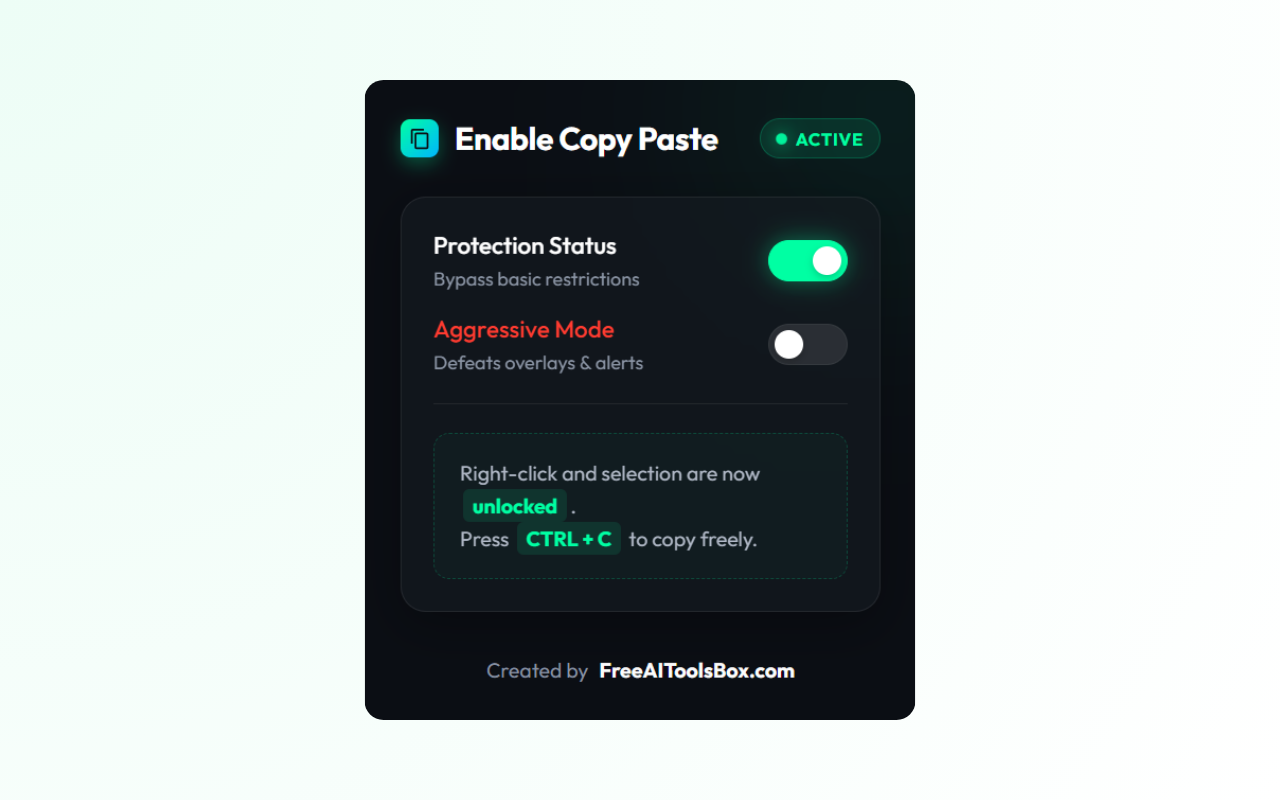
Before Activation
Text selection blocked, right-click disabled, no copy functionality available.
One-Click Activate
Click the extension icon in the toolbar to instantly remove all restrictions.
Full Access Restored
Select, copy, right-click, and use keyboard shortcuts freely on the page.
100% Safe, Secure & Private
Your privacy is our top priority. The Enable Copy Paste extension is designed with security-first principles. We believe in transparent, ethical browser extensions that respect your data.
Zero Data Collection
The extension does not collect, store, or transmit any personal data, browsing history, or website information.
Google Verified
Listed on the official Chrome Web Store after passing Google's security review and compliance checks.
No External Requests
The extension operates entirely within your browser. It makes zero network requests to external servers.
Open & Transparent
Minimal permissions required. Only accesses the current tab when activated — nothing more.
How Enable Copy Paste Compares
See why thousands of users prefer our extension over other copy paste unblockers available in the Chrome Web Store.
Frequently Asked Questions
Get answers to the most common questions about enabling copy paste on restricted websites, bypassing right-click blocks, and using the extension safely.
How to enable copy paste on blocked websites?
Install the "Enable Copy Paste & Allow Right Click" Chrome extension from the Chrome Web Store. Once installed, click the extension icon in your browser toolbar to activate it. The extension will automatically bypass copy protection, right-click restrictions, and text selection blocks on the website you're visiting. It works with a single click and can be toggled on/off as needed. This is the fastest and most reliable method to enable copy paste on any restricted website.
How to allow right click in Chrome?
The easiest way to allow right-click in Chrome is to install the "Enable Copy Paste & Allow Right Click" extension. This Chrome browser extension removes JavaScript-based right-click restrictions that websites implement. Simply add the extension, navigate to the blocked website, and the right-click context menu will be restored automatically. You can also try disabling JavaScript in Chrome settings (chrome://settings/content/javascript), but this will break most websites — the extension approach is much more targeted.
Is it safe to use copy paste extensions in Chrome?
Yes, the Enable Copy Paste extension is completely safe. It is a lightweight Chrome extension that runs entirely in your browser. It does not collect any personal data, browsing history, or website information. The extension has been verified by Google and is available on the official Chrome Web Store with a 4.6/5 rating from thousands of users. It requires minimal permissions and only operates on the active tab when you toggle it on.
Why do websites disable copy paste and right-click?
Websites disable copy paste and right-click primarily to protect copyrighted content, prevent plagiarism, reduce unauthorized content redistribution, and maintain intellectual property rights. News websites, educational platforms, stock photo sites, and blogs commonly implement these restrictions using JavaScript event handlers like oncopy, oncut, onpaste, and oncontextmenu. While understandable, these restrictions can frustrate legitimate users who need to reference or save content for personal use.
Does the extension work on all websites?
The Enable Copy Paste extension works on the vast majority of websites that use JavaScript-based copy protection. This includes news sites, educational platforms, blogs, documentation sites, and most content websites. It effectively handles the most common protection methods: JavaScript event handlers, CSS user-select restrictions, and context menu blocks. It may not work on websites that use server-side rendering to prevent copying, but these are extremely rare in practice.
How do I install the Enable Copy Paste extension?
To install the extension: 1) Visit the Chrome Web Store page for "Enable Copy Paste & Allow Right Click". 2) Click the blue "Add to Chrome" button. 3) Confirm the installation by clicking "Add extension" in the confirmation dialog. 4) The extension icon will appear in your Chrome toolbar. 5) Click the icon to activate it on any restricted website. The entire process takes less than 30 seconds.
Can I enable copy paste on specific websites only?
Yes, the extension allows you to toggle it on and off with a single click. Click the extension icon in your Chrome toolbar to activate or deactivate it. This means you can choose to enable copy paste only on the specific websites where you need it, while leaving it disabled on others. This selective approach gives you full control over when and where the extension is active.
Is the Enable Copy Paste extension free?
Yes, the Enable Copy Paste & Allow Right Click extension is 100% free to use. There are no hidden fees, premium plans, or in-app purchases. You get full access to all features including copy protection bypass, right-click enable, and text selection unblock at no cost. We believe in providing free, high-quality browser tools to everyone.
Will this extension slow down my browser?
No, the extension is extremely lightweight and will not slow down your browser. It uses minimal system resources and only activates when you toggle it on. When not in use, it has zero impact on browser performance or page loading times. The extension is designed to be as efficient as possible, with no background processes or unnecessary resource consumption.
How does the extension bypass copy paste restrictions technically?
The extension works by removing JavaScript event listeners that websites use to block copying. When activated, it neutralizes event handlers like oncopy, oncut, onpaste, oncontextmenu, and onselectstart. It also removes CSS properties such as user-select: none that prevent text selection. Additionally, it intercepts and disables event.preventDefault() calls on relevant events. This restores normal copy, paste, right-click, and text selection functionality on the protected webpage.
Ready to Enable Copy Paste on Any Website?
Join 100,000+ users who trust Enable Copy Paste to bypass restrictions, restore right-click, and copy content freely. It's free, safe, and takes under 30 seconds to install.